I usually write more about marketing/sales than I do about actually making software products, but I have recently been working on the product side a little more intensively for Appointment Reminder. One of the features we implemented was CSV upload. This is a very, very common task for virtually every B2B SaaS product, so I thought I’d share how we did it, as I’m pretty happy with how it is working out. Hopefully it will be useful to some of you.
The Problem With Upload Interfaces
Substantially every B2B SaaS product benefits from interoperability with other recordkeeping systems your customers use, including “formal” software (your competitors or products you interoperate with) and “informal” software like e.g. spreadsheets, Trello lists, and email-inboxes-used-as-a-database.
This is particularly true early in your customer’s lifecycle with your company: most data which will be new to your system is not actually new. It presently exists somewhere in the customer’s organization. You presumably want to make it as easy as possible for them to put it into your system and make your system the “source of truth” about that data.
Frequently, savvy SaaS entrepreneurs do this with “concierge onboarding” — basically, using high-touch human handholding to substitute for features which do arbitrary data source to your DB schema importing. Why? Partially because the human touch earns a lot of customer loyalty. Partially because you can offer concierge onboarding as soon as you have one smart person who has an inbox and free time, without necessarily having to build a whole lot of software support for them.
Why I Punted On CSV Import for 4 Years
My launch list of features for Appointment Reminder included CSV import for client data (names/phone numbers/emails) and for appointment data (client data plus date/times of appointments). Unfortunately, I assessed this feature as probably costing $100,000 in engineering time to implement well, so I punted and implemented a quick “concierge upload feature.”
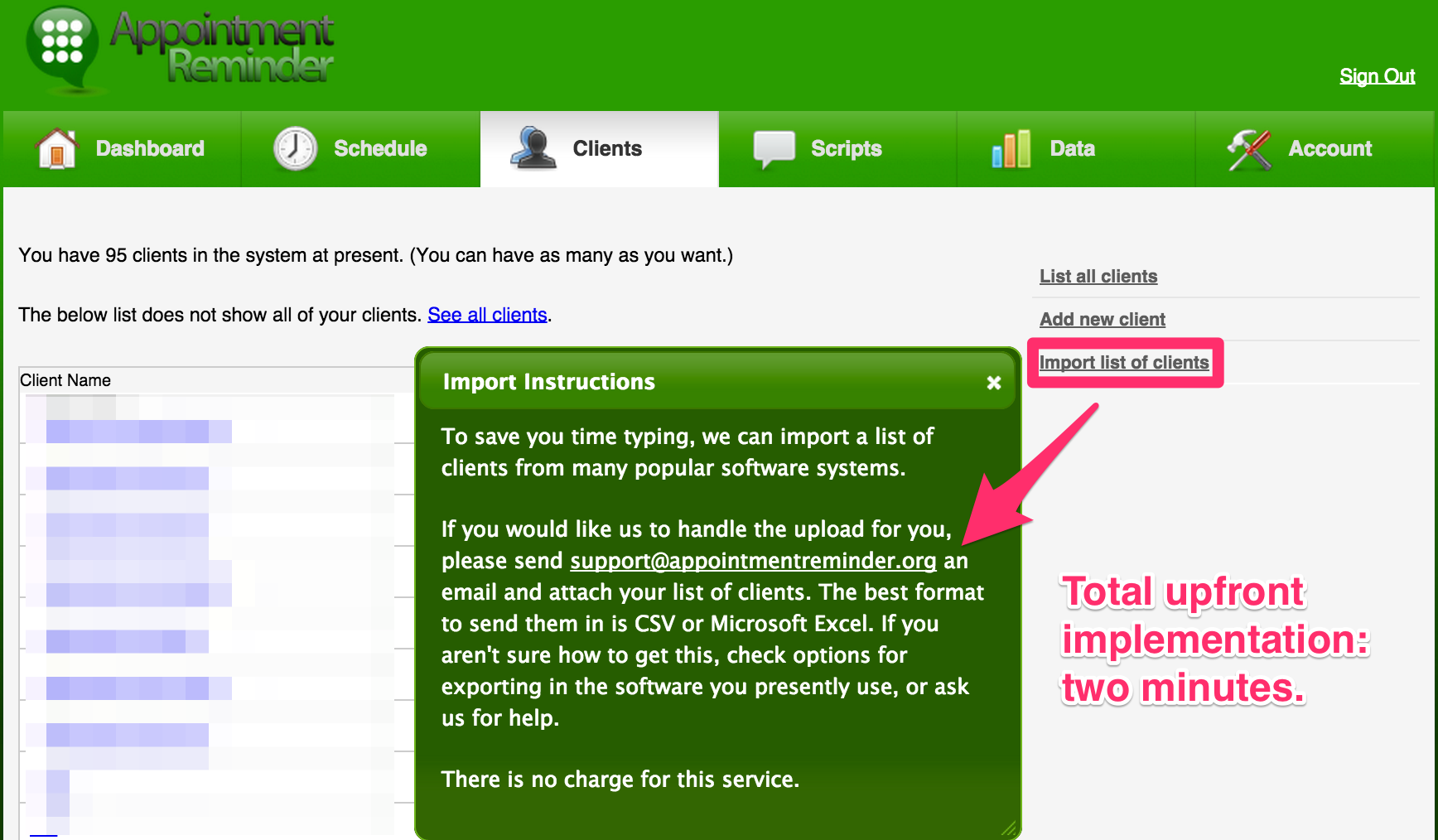
This was backed by me literally SCPing the files to the server, then opening the Rails console, and typing commands to parse out the file format in real time. It would typically look something like:
lines = File.readlines("/home/patrick/new-upload.csv")
u = User.find_by_email "someone@example.com"
a = u.account
records = lines.map {|line| line = line.split; record = {}; record[:name] = line[3]; record[:email] = line[7]; record[:home_phone] = record[:mobile_phone] = line[12]; record}; records.size
records.last #Check to make sure that command actually worked.

clients = records.map {|record| c = a.clients.build; c.name = record[:name]; c.home_phone = "blah blah blah"; c}; clients.size
clients = clients[1..(clients.size - 1)] #Skip the header line
clients.map {|c| c.save}; "Clients saved!"

errors = clients.select {|c| c.errors.present?}; errors.size

#While there are still records with errors

c = errors.pop
puts c.inspect

#c.email is "bob@gmail", needs a .com

c.email += ".com"
c.save

#Worked!

c = errors.pop

#Blah blah blah.
For a well-behaved CSV file, this took about 5 to 15 minutes of work. For clients who had very unclean CSV files, I often ended up doing an hour of data entry into IRB. That certainly makes sense for clients with predicted LTVs of $5,000+, but ideally I wouldn’t be doing this sort of work when I could be doing other stuff to drive the business forward. Additionally, the latency in sending me an email and actually having one’s account ready was 24~48 hours in the best of times, and that often caused clients to seek alternatives.
So why didn’t I just have a generic CSV importer ready? Because it is hellaciously difficult to do CSV import well in the general case.
Why is this?
- Column-to-column mapping: Clients’ existing understanding of their data very rarely matches with your understanding of how the same data is organized, so you have to map their columns to your columns. This is often not a one-to-one mapping. For example, Appointment Reminder gives each client a single freeform name field, but many customers have systems which differentiate between first and family names (presumably because they think those things exist), so you have to have a way to stitch together those columns.
- Pervasively unclean data: Informal software often includes data which is not exactly machine readable. Email addresses like bob@aol. Phone numbers like [(555) 555-5555 or -5556 (his mother)]. Names like [” Catherine] which make sense if you’re a human seeing it under [Smith James] but make no sense to a CSV file reader (and, incidentally, will frequently choke it).
- File formats: You would think the CSV file format is fairly well-standardized. Hah. Hah. Hah. cries
As a result, the typical web upload workflow is very inadequate for CSV file upload. You’d like to just give them an upload control, grab the file, pass it to a background process, then update the UI with the result, but often the result is going to be “Lines 37, 45, and 392 had problems. Also, although you wouldn’t have expected it, we left off all the email addresses because you picked the wrong column. Whoopsie! Edit the file then re-upload.”
This is enormously frustrating for the user.
Enter SheetJS and Handsontable
I can’t remember how I stumbled upon SheetJS, but as soon as I saw their tech demo, I knew AR was finally going to get file uploads.
SheetJS is an OSS project which parses a variety of common spreadsheet formats, including (through libraries) Excel, OpenDoc, and CSV. Because it is Javascript, you can actually do this directly in the browser, which allows me to completely eliminate the “upload” stage of the “Upload your CSV/etc, we parse it, then we display feedback” workflow.
I can’t express how magical this is in mere words. You have to see it in action. Either use that tech demo or watch the following ~50 second video.
I’ve described this to my friends as “It’s like embedding Google Sheets into your application, for less than a day of work.”
Carefully Considered Glue Code
I had “minimal” import capabilities available in about 3 hours of work with SheetJS, but getting a decent editing workflow with Handsontable (the grid component which provides a lot of the “magic”) took a solid three days of work.
Why?
The above example shows a well-behaved Excel file. We heuristically guess what columns in the Excel file map to which columns in our data model. Files which are a) parsed and mapped 100% successfully and b) contain no errors at all… are not the most common case with CSV uploads.
I had to build a way for users to both a) quickly understand that the column mapping was not correct (ideally, without having them have to understand the phrase “heuristics used to parse your document”, since most are office managers) and b) correct it, without requiring a heck of a lot of explanation.
UX-wise, I figured that, as long as we were using the typical right-click context menu that people would be familiar with from Excel, we’d extend that with the ability to mark columns appropriately. Additionally, we’d add a bit of external-to-the-grid feedback to the user to make it obvious what their file was missing.
Then there’s the question of “What do we do about errors?”
I figured that, for AR’s particular use case, errors in a given line shouldn’t block processing of the other lines, since customer records typically don’t “bleed” into each other. Accordingly, we’d save all records which had no errors (similar to my IRB session above), then ask the user to bulk update records with errors and try again.
This is handy, since customers often have very consistent forms of errors in their documents, and the remedy for them (e.g. deleting an entire column of bad data) is often fairly easy to do in a full-featured spreadsheet interface. Putting that in the browser rather than back in Excel makes it minimally difficult for them to actually succeed in doing this.
Take a look at this 65 second video for a user who uploads 98 users successfully while also having two records with errors. (Don’t worry about violating anyone’s privacy: all of the data is faked using GenerateData.com, a really handy service for cranking out CSVs/Excel files/etc which exercise various features in upload features.)
I rush through the process pretty quickly for the purpose of the demonstration, but in real life, it is close to this easy, particularly for a user who has done this before (like, e.g., my support reps or myself — see below).
What was tough about the glue code? Mostly, that it involves a lot of jQuery callback hell. Javascript development is, in general, not exactly my strong suit. 80%+ of development time for this feature was making sure that right clicking on the mobile column to mark it as mobile actually worked as expected. You won’t believe how many reloads I did during this process.
I give an A+ to Handsontable for documentation quality and a well-designed JS API. This project would have been enormously frustrating without that. SheetJS is a little newer of a project with a substantially broader brief, so it involved a little more source code spelunking to get working (particularly when integrating new file formats into the provided dropsheet.js magic which imports the dropped data into Handsontable), but I’d rate it as production-quality. Both sets of devs are quite responsive and substantially every B2B SaaS product should adopt them (hopefully adding a bit more polish on the UX than I did).
What Does The Backend Look Like?
Customers routinely upload thousands of records at once (which, n.b., neither of these OSS projects have any problem with). Given that my Rails app treats each row in isolation rather than using a batch insert statement, mostly to run validations, this means that doing the upload parsing in the request/response cycle is probably not optimal. You never want a request waiting several seconds unless you’re intentionally doing long polling.
I instead immediately stuff the uploaded data into a semi-ephemeral data store (Redis), then acknowledge to the AJAX request “OK, got it. ID number was $FOO.” The client then begins polling an endpoint for status updates about $FOO.
(Worth mentioning: why Redis as opposed to e.g. just persisting the files to disk? One, our Redis database is encrypted and our standard file storage is not, so not putting the files on disk saves us from having to worry about whether they include HIPAA-privileged data at all. Two, while we could theoretically clear out uploads on a regular basis, Redis has the expiry logic already built into it, so the data has built-in ephemerality. Three, it’s easy for my app to assert “We’ll always have a Redis instance available!” but not quite so easy to assert “We’ll always have a local filesystem shared by all processes relevant to servicing a particular user’s account” — if we eventually move to a multi-machine architecture then the file system suddenly becomes a really bad place to be storing uploads. Four, uploaded files are inherently a security risk if a misconfiguration lets someone execute upload.csv as e.g. a PHP file, and I’m decently certain there is no URL which will ever route to an arbitrary key in Redis and cause it to be evaluated as anything other than a string.)
Our queue worker processes then process upload $FOO, updating the database directly for working records and saving errored records as a new job (also in Redis). We then have the client poll result return both instructions to the user and new records to repopulate the table with. While our upload infrastructure at the model level is reasonably well architected with separations of concerns and everything, the bit which synchronizes the jobs and the UI is incredibly tightly coupled between the UI and the controller layer. That decision will eventually make maintenance of this more painful than it would be if they were decoupled. I shipped it anyhow, because shipping beats not shipping.
To give you a rough idea of complexity:
upload_processor.rb contains the logic orchestrating jobs, persisting to/from Redis, and turning JSON blobs which were POSTed to the server into client records. It is 335 lines long, and required approximately 20 lines of additions to our Client class to support. Unit tests run another 500 or so lines.
uploads_controller.rb turns AJAX requests into upload processor method calls. It is 135 lines, of which 35 are the incredibly coupled method for answering poll requests. I’ll avoid showing a screenshot for fear of being blocked as obscenity in the offices of good engineering teams everywhere.
The Javascript glue code is 450 lines long. No unit tests because, frankly, I have no clue how one would test this in an automated fashion. I’d rate it as C+ in terms of code quality — jQuery callback hell, what can I say.
Rolling Out To Customers
I don’t like exposing new features directly to customers, particularly features which I suspect are probably fiddly. For example, while I’ve tested this feature with documents in a variety of encodings and file formats, I have no clue what will happen if someone uses an outdated version of MS Excel on a Windows 98 machine to upload a file written in a Hebrew code page, and I’m honestly a little scared of finding out.
Accordingly, we put this behind a feature flag. Feature flags are structurally similar to A/B tests:
#In a view.  @account is, by convention, the currently logged in account.
#Account#allows?("feature") is our feature flag method.

<% if @account.allows? "uploads" %>
  Click here to <%= link_to "upload", {...} %> your client data.
<% end %>
Naturally, we also control access at the controller level (to prevent anyone from playing guess-the-URL), but this demonstrates the basic idea. We can assign users access to this feature individually or in groups, without having to roll it out to the entire userbase.
At present, client data uploads are available in production for our internal users only. Our administrator accounts can upload data into any account, but users can’t access the corresponding upload feature for their own accounts unless I hand-grant their account that permission.
This forces clients to continue emailing us their CSV files to get them uploaded, which lets me have the catastrophic, terrible UX, blow-up-straight-in-my-face errors that still exist in this feature happen to a patient and incredibly invested product owner (me) rather than an impatient user on their first day. For example, it wasn’t obvious to me, but if JSON interpreted someone’s phone number as an integer (5555555555) rather than a string (555 555-5555), our upload job would die with an uncaught exception and the polling method would continue polling forever. I fixed that and the user never even knows it happened.
This also lets us verify that the parsing/heuristics/etc work for someone’s particular “informal software” used at their business. Typically, they have one or a handful of Excel files, often maintained on a single version of Excel on a small set of machines. We can handle the first upload ourselves, verify that it works as expected, and then extend them the ability to do uploads. It is unlikely that they’ll add row-level data which comprehensively borks the upload feature assuming it works on their existing files at least once.
What’s Next In Our App
Now that we have the ability to do this for client data uploads, which are (by far) the easier of the two upload types for us, we’re going to deal with appointment data uploads next. These are a) less forgiving of error than client data, b) conceptually harder to deal with (parsing date/times… ick), and c) vastly more numerous than client data, since client data is typically essentially append-only with minimal editing after upload but appointment data changes on a multiple-times-a-day basis.
Luckily, we’ll be able to reuse a bit of the infrastructure which we built and also will, hopefully, have shaken out a lot of the UX/error handling/monitoring/etc challenges prior to playing the upload game on hard mode.
Presently, we have a single set of heuristics/parsers/etc which are used for all clients. Eventually, I’d like this to be plug-and-play on a per-customer basis, so that we could write ~50 lines of Ruby if required to slurp in a godawful file format required to support a particular enterprise client. c.f. the Strategy pattern in the GoF book, except less painful, because metaprogramming makes this much less painful than it would otherwise be.
A Brief Meditation on OSS
I estimated this feature as costing $100k in engineering time if I were scratch building it. We got it done in +/- 3.5 days of work, which is easily a 90%+ savings, as a result of SheetJS and Handsontable being available. I simply didn’t feel right getting that amount of value for free from two projects which are run by very small teams, so I approached both and convinced them to sell me an enterprise license to their project. It is equivalent to the usual OSS license, except it comes with an invoice. (I don’t think it would be appropriate to name numbers, as that might constrain their ability to price enterprise licenses going forward. Let’s say that my initial outreach emails — titled “Can I pay you to work on $PROJECT?” — probably sounded like a less-wealthy-than-usual Nigerian prince who happened to live in Tokyo and have a really odd interest in CSV files.)
If you have an OSS project which is as useful for for-profit businesses as these two projects, I would strongly, strongly advise taking down any mention of “donations” and offer commercial licensing for the project. This doesn’t have to change anything about your project. (What is the difference between a commercial license that is completely discretionary and a donation? I can donate money, and like most middle class people, my actual behavior with regards to donations is “occasionally donates tens of dollars to poor people and other deserving causes.” My company is literally not allowed by the tax code to donate money, but it can buy any software it feels like, it does not require “You must be poor” to write a check to you, and it assumes that software costs hundreds/thousands of dollars. Ask for license revenue, not for donations.)
If you’re willing to let commercial viability influence your choice of licenses, the dual licensing model also works pretty well, which my buddies at Binpress explain in more detail here. (Disclaimer: I’m a small investor in Binpress.) For example, Appointment Reminder would be totally unwilling to put GPLed code anywhere in our codebase (viral infection of the rest of the code is a non-starter for me), but if you (the copyright holder) said “We’ll let you use our code on a basis equivalent to an MIT license, if you pay us $X,000″, then (assuming the code solved a $X,000 problem for me) I’d write a check immediately.
More broadly, I think that SaaS businesses and other heavy consumers of OSS owe it to the community to provide the funding for projects which represent significant advances, as we are — frankly — much better than the typical OSS dev at actually monetizing software. I’m less worried about the likes of Ubuntu or Chrome, which have massive corporate backing behind them, and even much smaller projects like Rails do pretty well with a few larger sponsors (Basecamp, NewRelic, Heroku, etc) which full-time employ the largest contributors. I think it is right and proper for for-profit businesses to assist the labors-of-love OSS projects at the lower end of the scale though in going full-time on those projects if that meets their goals. So, where possible, I try to pay professional wages for professional work. There exist a variety of ways to contribute to OSS projects, but nobody’s landlord accepts pull requests as currency, so I prefer contributing with money.
Try it sometime — it’s fun and easy. I wrote two emails explaining that I wanted to buy a commercial license and that my only requirement from them was an invoice which said “commercial license for $SOFTWARE” and a figure on it. After collecting the invoices, I had my bank send checks/wire transfers as appropriate. Payments between parties in the global wealthy class (i.e. most software companies and developers) is a solved problem — don’t let whole minutes of hassle scare you away from trying it.